Getting a Gmeet URL
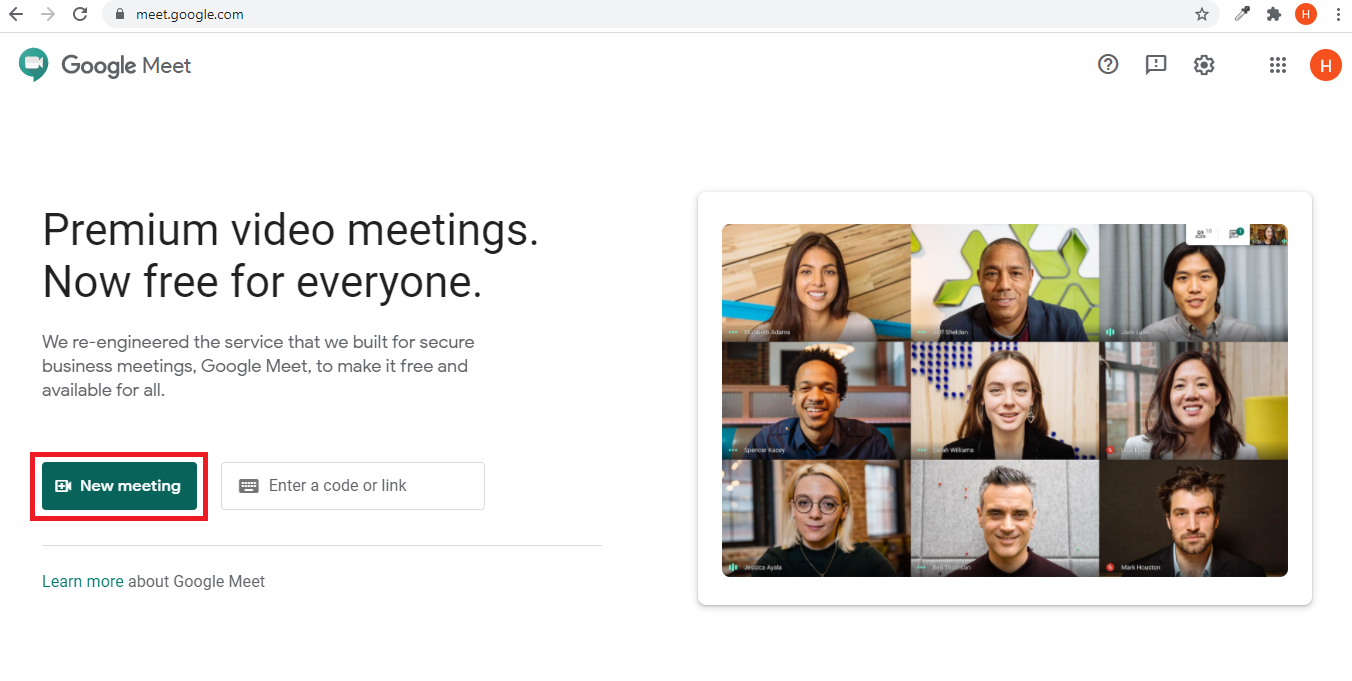
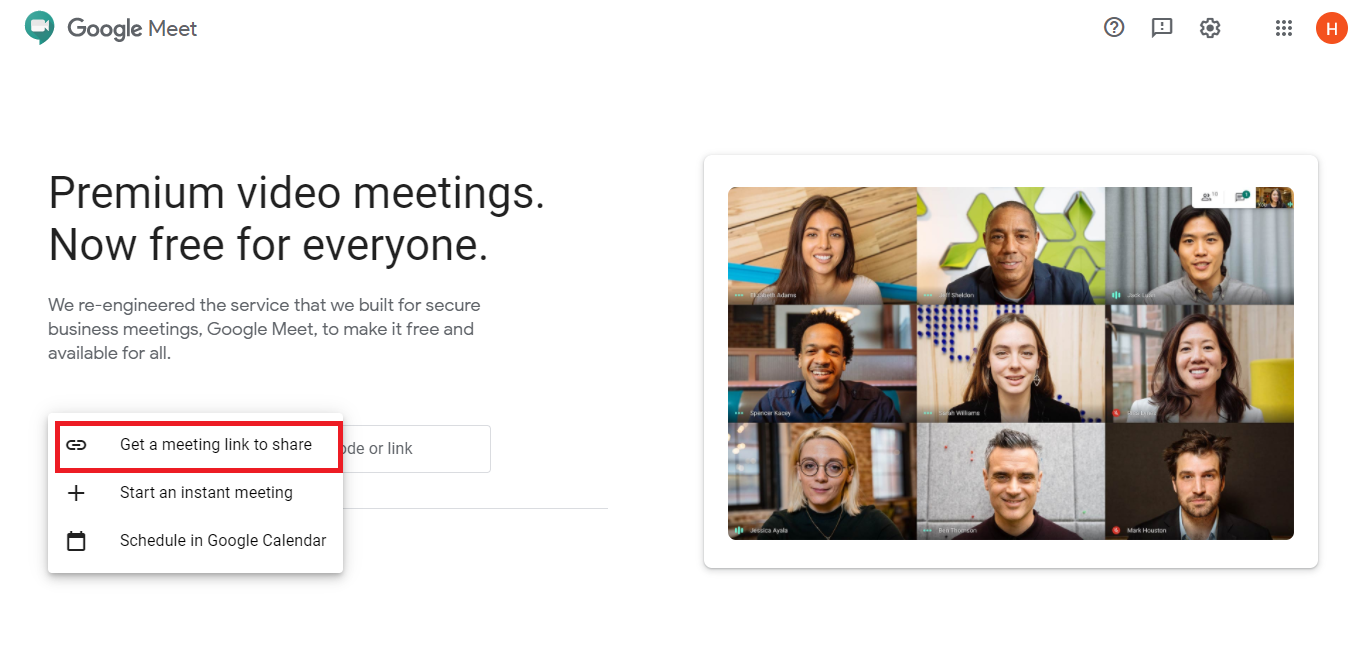
To get the Gmeet URL, first log into your Gmail account. If you are not logged into Gmail, click on the sign-in button. Then go to https://meet.google.com/, click on the New meeting button, and select Get a meeting link to share.
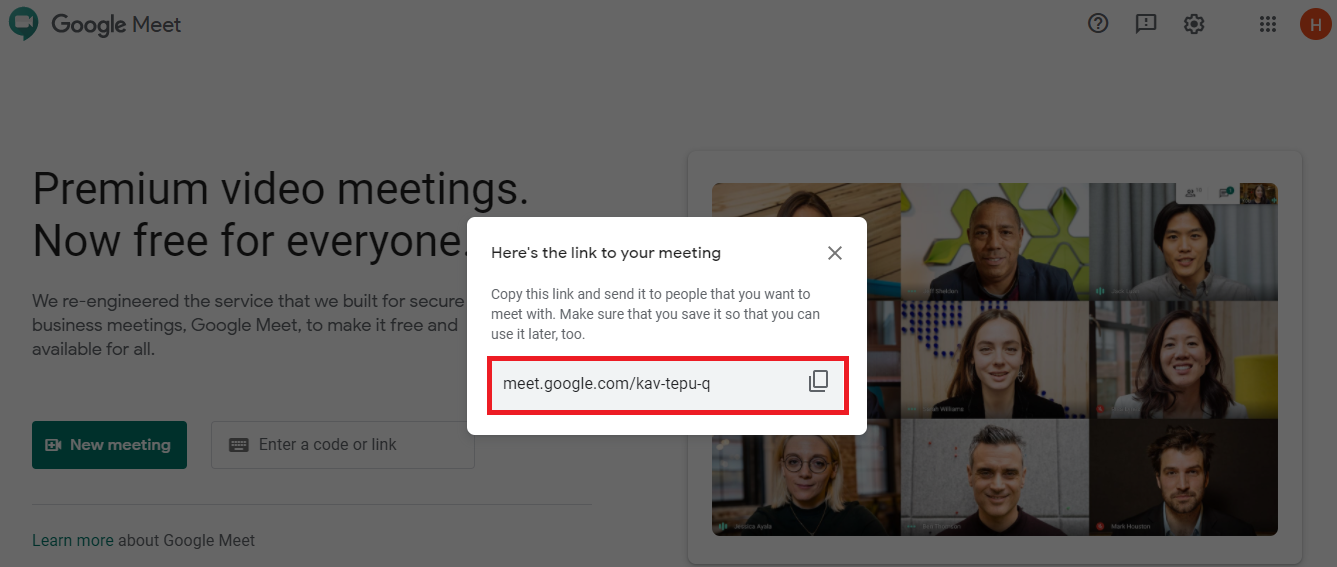
Selecting this link will open a modal window. From here, you will get the Gmeet URL. Copy this URL and paste it in the Smart School Gmeet URL field.
Step 1.
Step 2.
Step 3.